


The Problem of Starting from Scratch Every Time
If your team already talks to an AI agent every day, you have probably already felt this friction: every new session starts from scratch. You explain the project again, repeat the preference you had already corrected last week, and if the task is something that needs to run outside working hours (an overnight job, continuous monitoring), there is no way to leave it running without someone opening the conversation manually.
Kiro Crew is Kiro’s answer to this specific problem: a personal agent, open source under the Apache 2.0 license, that runs continuously on your own machine, on a server of yours, or in a container, keeping context across sessions instead of starting over with every conversation.
Where Kiro Crew Runs, and How You Talk to It
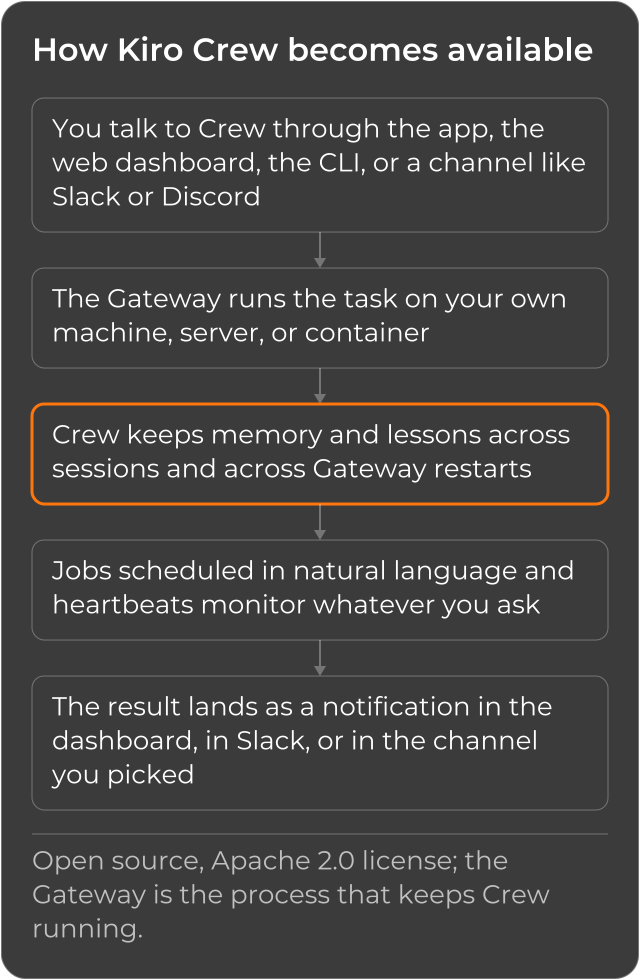
The core difference with Kiro Web is in who hosts the infrastructure: Kiro Web runs in the Kiro team’s own sandboxes, in the cloud; Kiro Crew runs wherever you decide, on your own infrastructure. A Gateway, the process that keeps Crew running, starts along with the desktop app (for macOS, Windows or Linux) when no local Gateway is already running, or it can connect to a remote Gateway over an SSH tunnel.
Once installed, you talk to Crew through the desktop app, the web dashboard (which opens at
http://localhost:5476), the CLI, or messaging channels such as Slack and Discord, among others,
according to the official documentation: you pick the channel that
is already part of your team’s routine, instead of opening yet another stand-alone tool.
Installation, Straight from the Documentation
Through the desktop app (macOS, Windows or Linux), installation already starts the Gateway on its
own, no command needed. From the command line, Kiro Crew ships as a prebuilt, SHA-256-verified
wheel, and the installer installs it through pipx when available, or in a managed venv at
~/.kiro/crew-venv. Only on that path (without the desktop app) are the 3 commands below, copied
literally from Kiro Crew’s installation documentation, needed to
configure and start the Gateway:
kirocrew setup   # interactive wizard: data dir, agent, credentials
kirocrew doctor  # verify everything is wired up
kirocrew gateway # start the server at http://localhost:5476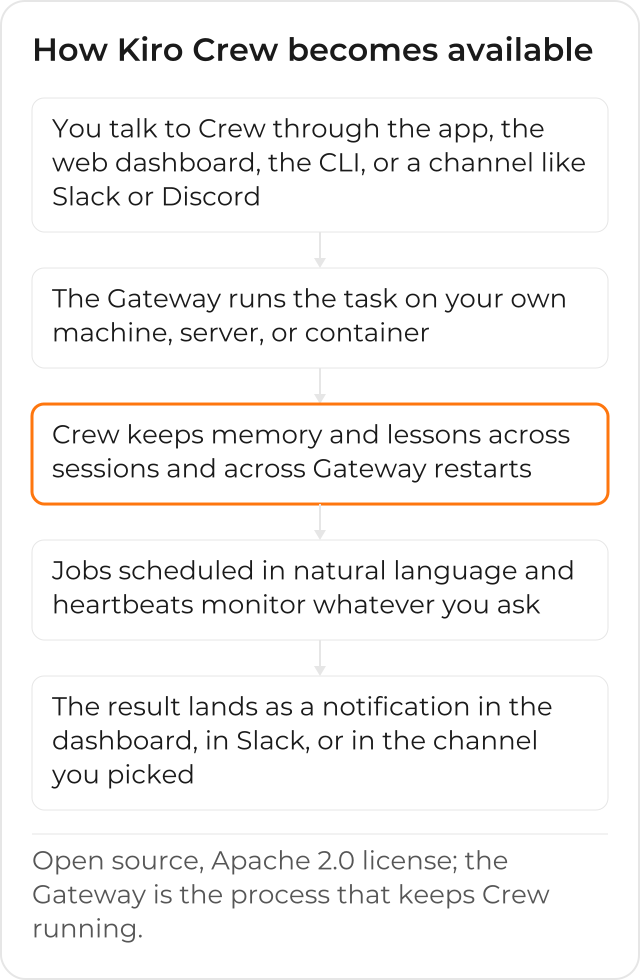
Long Tasks, with Checkpoints
From the Projects panel, you describe what you want, refine it into a spec, and trigger the run: the Task Runner breaks the spec into steps, runs each one, runs tests, retries if something fails, and saves progress at checkpoints. That means you can hand off the task and walk away: if the process needs to be resumed after a failure, it resumes from the checkpoint, not from the start.
Research in Parallel, with Sub-agents
For a question that needs comparing a few options before deciding (“research these three alternatives in parallel and recommend one”), Crew spawns isolated sub-agents to investigate each option at the same time, then synthesizes the results back into your conversation, according to the official documentation. You do not need to open one session per alternative and compare them manually at the end.
Scheduled Work and Monitoring
From the Schedule panel, or just by asking in chat (“every Monday at 9, summarize my open work”), you create a job that starts running on that cadence, in its own session. The result lands in the dashboard’s notifications, a Slack direct message, or Telegram, according to the documentation. For monitoring, the heartbeats feature checks a system on a schedule and alerts only when something needs attention, without anyone having to check manually.
No-Setup Semantic Memory
Crew’s memory search needs no initial setup: the embeddings run in-process, and the Gateway downloads the model in the background the first time it runs. Until that download finishes, memory search falls back to keyword matching, and switches to embeddings automatically once the model arrives, with no restart needed, according to the official documentation.
It Learns from Corrections, and Does Not Repeat the Same Fix
When you correct something Crew suggested (“no, always run the frontend checks before considering the change done”), that correction becomes a durable lesson that carries over into future sessions, according to the official documentation. Patterns that repeat can also become reusable skills. This is what the documentation calls “self-evolving”: memory, lessons and skills remain visible and editable, so Crew becomes more tailored to your way of working over time, instead of repeating the same fix in every new conversation. A preference typed once today holds for every future session, with no need for each person on the team to repeat it to the same Crew.
Kiro Crew x Kiro Web
Both are Kiro agents, but they live in different places, and the choice between them depends on where the session needs to live: Kiro Web runs on Kiro’s own infrastructure, in the browser, and handles both a one-off task and a scheduled job inside it; Kiro Crew runs on your own infrastructure (machine, server or container), continuously, with memory and lessons that persist across sessions and across Gateway restarts. Nothing stops the same team from using both, each for the kind of work it serves best: Kiro Web for the one-off pull request that needs nothing installed locally, Kiro Crew for continuous monitoring and for memory that needs to survive weeks, not just a session.
How the Team’s Flow Looks After Adopting Kiro Crew
Teams that adopt Kiro Crew trade “explaining the context again” for an agent that already remembers yesterday’s correction, that runs the scheduled task without anyone opening the conversation in the morning, and that alerts when something being monitored needs attention, instead of someone checking manually every hour. Recurring maintenance starts running on its own, in the background, through the channel the team already uses day to day, and the decision of where that infrastructure runs (the admin’s machine, a dedicated server, or a container in the company’s own AWS account) stops being improvised by whoever got there first.
CloudDog, an AWS Advanced Partner, helps your team adopt Amazon Kiro with governance in the company’s AWS account, and use Kiro Crew, Kiro Web and Workflows day to day. Check out CloudDog’s Amazon Kiro page, see Kiro Power to try it with AWS credit support, or the Amazon Kiro for Developers page if you are the one writing the code.
