
The Problem with Coding by Autocomplete Alone
An autocomplete assistant speeds up typing, but doesn't know your system's architecture: it suggests code that doesn't follow the team's pattern, loses context across files, and leaves no trace of why a decision was made, problems that grow with the size of the project, not with the speed of the person typing.
Specs Before the Code: How Kiro Works
Kiro's Spec-Driven Development mode starts from a specification (requirement, design, tasks) versioned alongside the code, before generating the implementation. For quick tweaks and point fixes, Vibe Coding mode is still available. Kiro is available as an IDE (built on VS Code), directly in the terminal via CLI, as a web app, as a mobile app, and through the personal Kiro Crew agent.
Kiro vs. Cursor, GitHub Copilot and Claude Code
Kiro starts from a specification (requirement, design and tasks) versioned alongside the code, built for tasks spanning multiple files and repositories; Vibe Coding mode is still available for quick tweaks. Cursor, GitHub Copilot and Claude Code are part of the same code assistant market. The choice depends on how your team works.
What's New in Kiro: Workflows, Kiro Web and Kiro Crew
Kiro Web (app.kiro.dev): a development agent that runs in the browser, with no local setup needed. You discuss the approach, it writes the code, coordinates a change across several repositories and opens the pull request. It has an autonomous mode that delivers the task end to end, and scheduled tasks that run in their own sandbox and open PRs. Available on the paid plans (Pro, Pro+, Pro Max and Power), not part of the Free plan. In the company, the admin turns on Cloud Sessions in the AWS account.
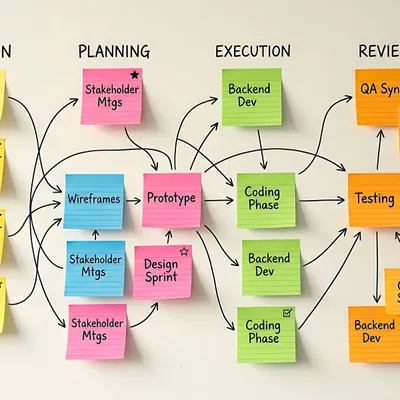
Workflows: orchestrate several agents through stages (requirements, design, implementation, independent review and validation) and run in the background while you keep working. A workflow that works well can be saved as a recipe and reused.
Kiro Crew: an open-source personal agent that runs on your own machine or server. It keeps context across sessions, learns from corrections, follows backlog, code or CI, and acts when work shows up. You can use it through the app, the web dashboard, the CLI, Slack or Discord.

Kiro Web: What It Is and How to Use It
Kiro Web runs in the browser and works a task from start to pull request, with no local setup needed.
Kiro Workflows: What They Are and How to Use Them
A Kiro Workflow orchestrates agents in a graph, with parallel branches and loops, running in the background while you keep working.

Kiro Crew: What It Is and How to Use It
Kiro Crew keeps context across sessions, runs long tasks with checkpoints, and monitors whatever you ask, through the app, the web, the CLI, or messaging channels.
Can You Use It Alone? Kiro's Free Plan
Yes: Kiro has a Free plan (US$0, 50 credits) that any developer can try on their own, without involving the company. On your first upgrade from Free, the rest of that month on Pro is free, and you get 500 trial credits valid for 12 months, on any paid plan. Kiro Web (see the section above) is on the paid plans. It isn't part of the Free plan. When your team wants to adopt Kiro with governance in the AWS account (accounts, permissions, CI/CD integration), that's where CloudDog comes in.
How to Bring Kiro to Your Team with CloudDog
CloudDog uses the same 4-step adoption method (initial diagnosis, configuration and integration, team training, assisted onboarding) already applied for engineering teams adopting Kiro. See the full process on the Amazon Kiro page.