


Two Different Philosophies
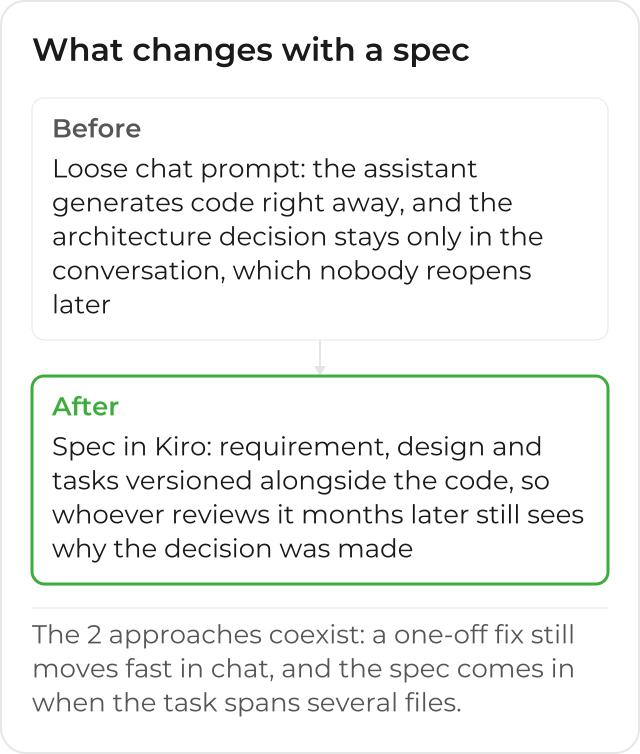
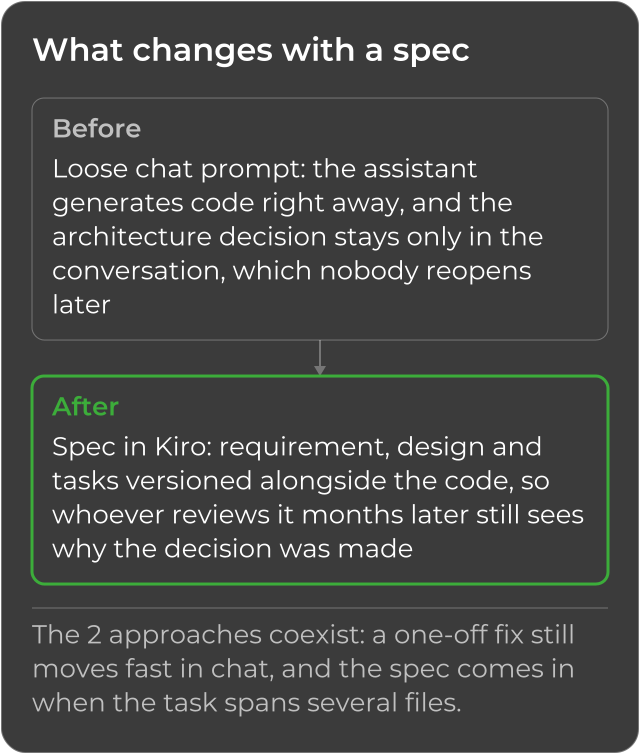
Cursor, GitHub Copilot and Claude Code are part of the same code assistant market. If your team already has the habit of asking straight in the chat (a tweak, a new function, a fix) and adjusting the result until it looks good, you already know the routine: it is fast, and for a good part of the work that is exactly what you need. The point where that speed charges its price shows up later, when the feature has been in production for 3 months, a bug shows up right at the boundary between 2 modules, and whoever investigates finds nothing beyond the code itself: no record of why that approach was chosen, no list of what was considered and discarded, just the final result, with no reasoning behind it.
Amazon Kiro enters this same market, but it starts from a different logic for the task that asks for more than a one-off fix: before generating the implementation, it works from a spec, which records the requirement, the design and the tasks before the code, and stays versioned in the same repository, alongside the code it produced. The question this post answers is not which of the 2 philosophies is superior; it is at what point each one pays off the investment it asks for.
What Changes in Practice
The difference is not about which tool writes “better” code in an isolated test. It is about where the architecture decision sits after the work is done, and who can understand that decision months later, without asking whoever made it.
| Dimension | Direct prompt in chat | Spec in Kiro |
|---|---|---|
| Where the architecture decision sits | In the conversation, which closes and is rarely revisited | In design.md, versioned in the same repository as the code |
| Acceptance criteria | Implicit, in the head of whoever asked for the change | Explicit, in EARS notation, directly testable |
| When it pays off the time invested | A one-off fix, 1 or a few files | A task that spans modules, or that needs approval phase by phase |
| What is left once it is done | The code, and a chat history that is hard to search | The requirement, the design and the task plan, next to the code |
| Running large tasks | One conversation at a time, with no sense of dependency between parts | Tasks in dependency waves, parallel within each wave |
| Team convention | Repeated with every prompt, or lost if nobody remembers it | Recorded in steering, read automatically in every session |
When a Direct Prompt Is Still the Right Answer
Nothing in this comparison makes the direct prompt wrong. For an isolated bug fix or a small tweak, it solves things fast, and Kiro itself has a quick-edit mode (sometimes called “vibe coding” in conversations about this market) for that kind of task. The signal for when to switch approach is not the size of the file, it is whether the decision behind the change needs to outlive the person who made it, or whether the task spans enough modules that someone without the full context could break something they could not see. A team that tries to write a spec for every text fix will spend more time documenting than fixing, and that is also a way of using the wrong tool for the size of the task.
Steering: the Part No Loose Prompt Carries
Another piece a stand-alone prompt does not solve is the team’s convention: Kiro’s steering keeps, in files versioned in the repository itself, the code standards, the preferred libraries and the architecture decisions that already apply to the whole project, so the agent follows these rules in every spec and every session, without anyone having to repeat the context in every new conversation. A flow based only on isolated prompts has nowhere to keep that kind of accumulated knowledge; every new session starts from zero, and each developer tends to rewrite, in their own words, the same convention the coworker next to them already explained to their own tool an hour earlier.
Quick Spec, for a Feature You Already Understand Well
Not every feature needs the 3 phases with approval at each one. For work that is already well understood, the Feature Specs documentation describes Quick Spec: Kiro generates the 3 files (requirement, design and tasks) all at once, without stopping for approval between phases. It is a middle ground: you still end up with a versioned artifact, but without the cost of reviewing each phase separately, for the case where the team already knows exactly what it wants.
Why an Engineering Team Can Use Both
Nothing stops a team from keeping another code assistant in daily use and, at the same time, adopting Kiro for the work that calls for a spec. The 2 approaches solve different problems, not the same problem at different speeds, and the choice depends on how your team works and on the size of the task, not on which tool is “better” in some absolute, out-of-context sense. A developer can perfectly well open another assistant for a 10-minute tweak in the morning and open a spec in Kiro in the afternoon, for the feature that will take the whole week; these are tools for different moments of the same work, not one replacing the other.
The Question That Actually Matters for the Company
If your team has already decided to use AI in the code, the question that defines the next step is not which tool writes faster for a single developer. It is how to standardize this with security and governance in your AWS account, in a way that survives any specific person on the team leaving, and that leaves, for whoever joins later, a trail of why things were done the way they were, instead of just the result. To understand better what a spec records before the code, see the post on what spec-driven development is. This is where CloudDog comes in.
CloudDog, an AWS Advanced Partner, deploys Amazon Kiro to your development team, with configuration, integration into your AWS account and training, so that choosing between the 2 approaches is the team’s decision, with governance, not an isolated call by each developer, made without anyone else knowing which tool is in which account. Check out CloudDog’s Amazon Kiro page, see Kiro Power to try it with AWS credit support, or the Amazon Kiro for Developers page if you are the one writing the code day to day.
